Overview
IP whitelisting is a security feature that allows you to control which IP addresses can access the StraitsX API. When enabled, only requests coming from the approved (whitelisted) IP addresses will be accepted. All other requests will be rejected.
Table of Contents
- Overview
- Why use IP whitelisting?
- How IP whitelisting works
- When should I use IP whitelisting?
- Where can I find IP whitelisting?
- How to enable IP whitelisting
- How to add an IP address
- How to remove an IP address
- Important notes
Why use IP whitelisting?
IP whitelisting helps to:
- Protect your API from unauthorized access
- Ensure only trusted systems can connect to StraitsX
- Reduce the risk of malicious traffic
How IP whitelisting works
- You add your server’s IP address to the whitelist
- StraitsX will only accept API requests from that IP
- Requests from other IP addresses will be blocked
If a request comes from a non-whitelisted IP, it may result in an “access denied” error
When should I use IP whitelisting?
You should enable IP whitelisting when:
- You want to enhance API security
- You have a fixed server or backend system making API calls
- You want to restrict access to specific environments
Where can I find IP whitelisting?
You can manage IP whitelisting from:
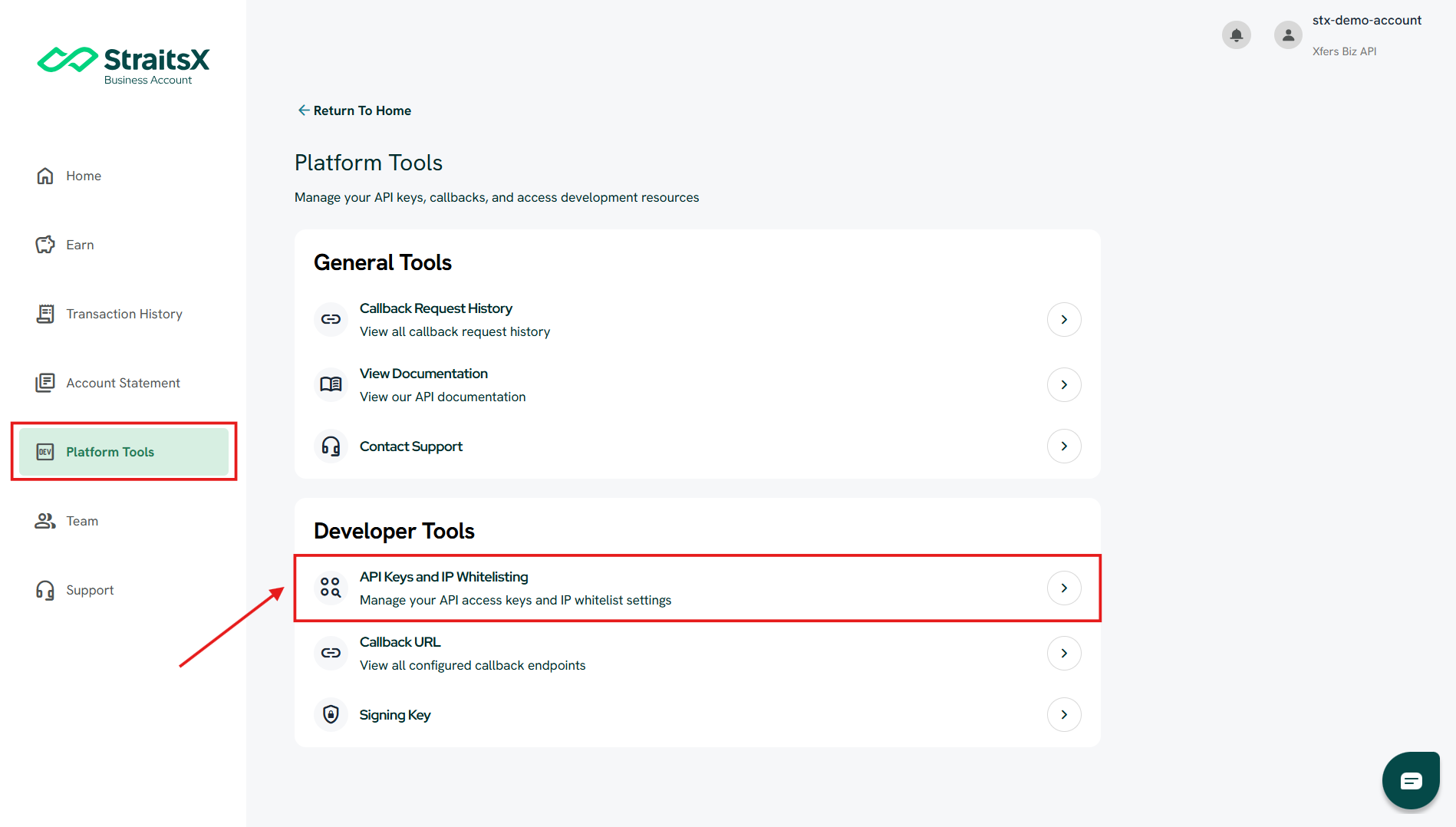
Platform Tools → Developer Tools → API Keys and IP Whitelisting
How to enable IP whitelisting
Steps:
- Go to Platform Tools
- Click API Keys and IP Whitelisting
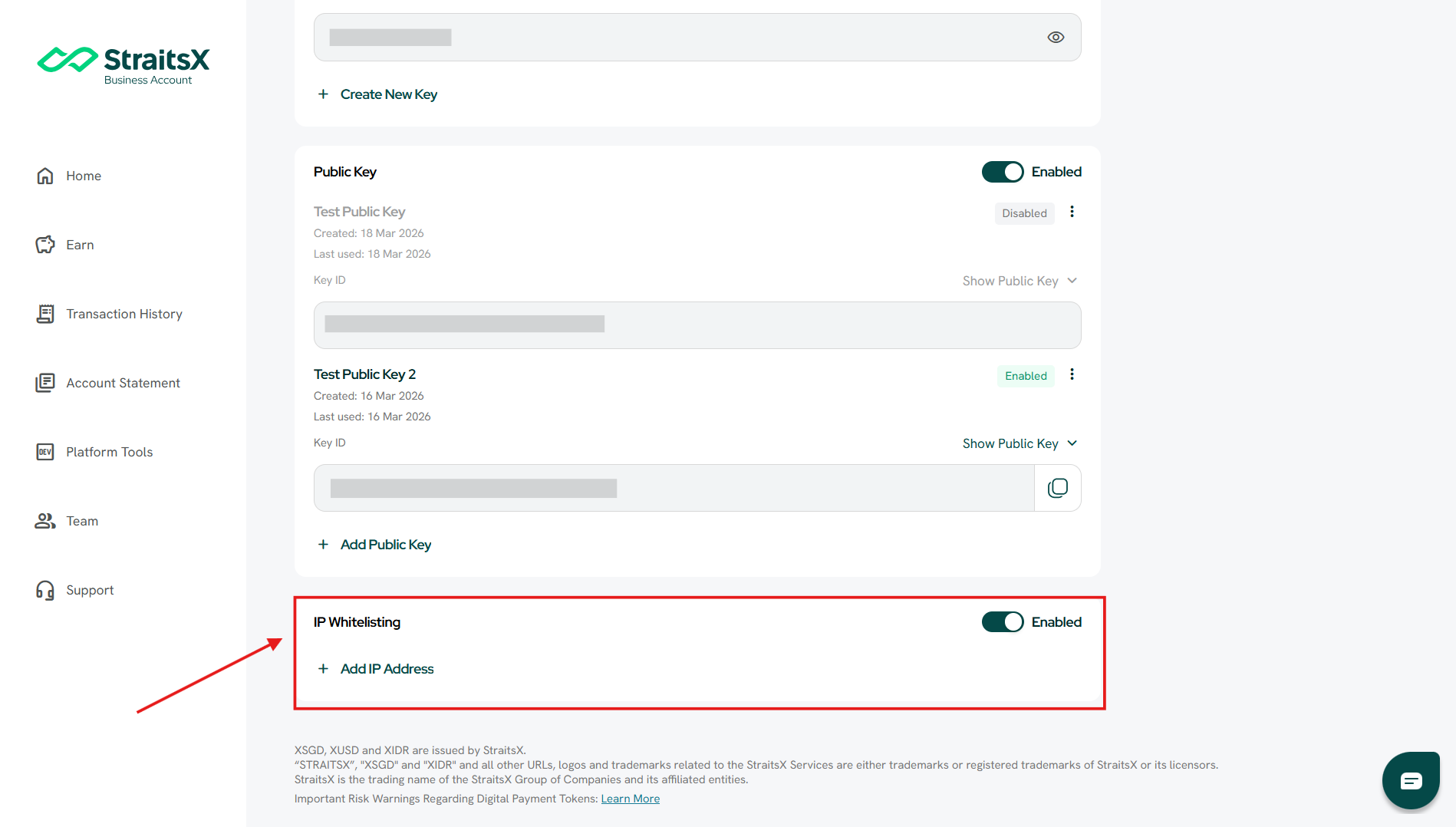
- Scroll to the IP Whitelisting section
- Toggle the switch to Enable
How to add an IP address
Steps:
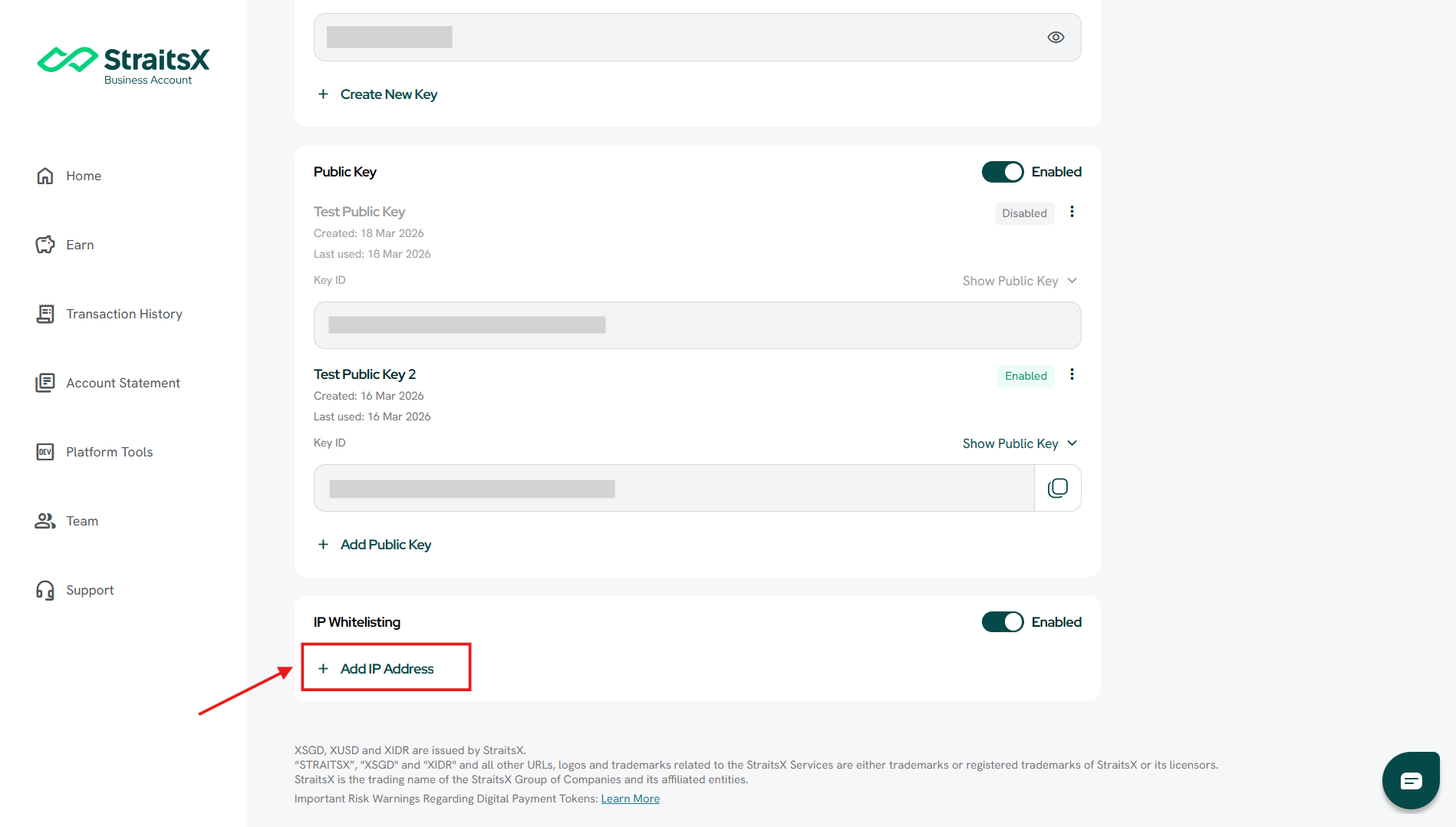
- Click + Add IP Address
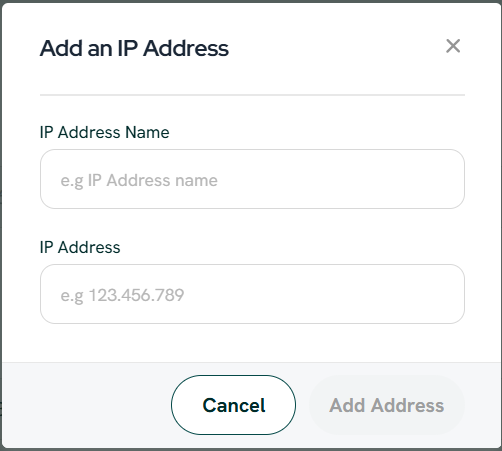
- Enter:
- IP Address Name (optional, for your reference)
- IP Address (e.g. your server IP)
- Click Add Address
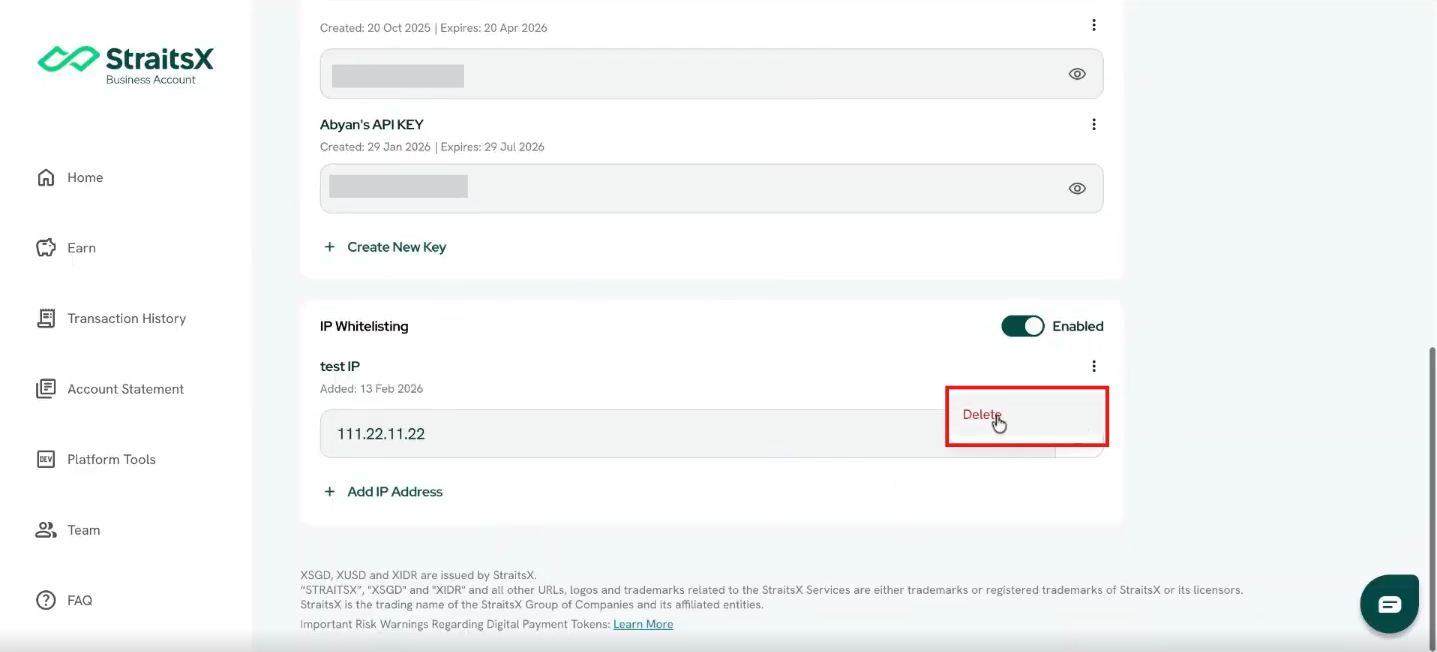
How to remove an IP address
Steps:
- Locate the IP address in the list
- Click the three-dot menu (⋮)
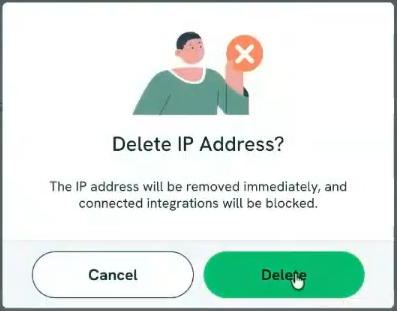
- Click Delete
- Confirm deletion
Important notes
- Once IP whitelisting is enabled:
- Only whitelisted IPs can access the API
- If your IP is not listed:
- API requests will be rejected
- Make sure to whitelist all required IPs before enabling
Was this article helpful?
That’s Great!
Thank you for your feedback
Sorry! We couldn't be helpful
Thank you for your feedback
Feedback sent
We appreciate your effort and will try to fix the article