Overview
Platform Tools is available to different user roles within a StraitsX Business Account. Access is granted based on the user’s role and permissions.
TABLE OF CONTENTS
- Overview
- Who can access Platform Tools?
- What actions can each role perform?
- Why are there different access levels?
- When should I contact my Admin or Developer?
Who can access Platform Tools?
The following users can access Platform Tools:
- Admin users
- Developers
- Operations (Ops) users
All of these roles can view Platform Tools from the dashboard.
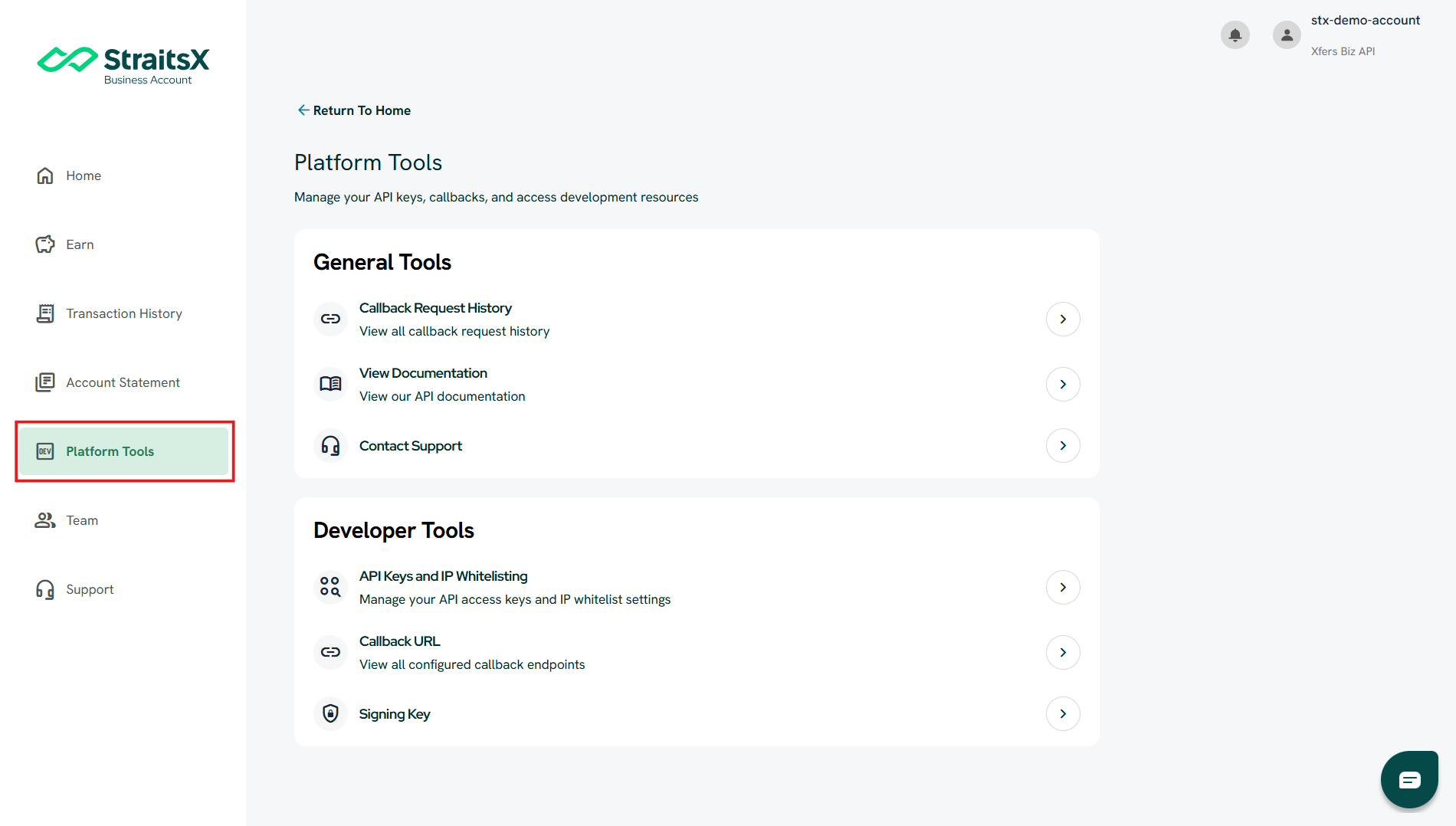
What actions can each role perform?
While multiple roles can access Platform Tools, the level of control differs:
Admin & Developer
Users with Admin or Developer roles can:
- Create and manage API Keys
- Configure IP Whitelisting
- Set and update Callback URLs
- Manage other integration-related settings
Operations (Ops) users
Ops users can:
- View Platform Tools
- Check Callback Request History
- Monitor callback delivery status
However, Ops users:
- Cannot modify developer-related settings
(e.g. API Keys, IP Whitelisting, Callback URL)
Why are there different access levels?
Different access levels are designed to:
- Maintain security for sensitive configurations
- Ensure only authorized users can modify integration settings
- Allow Ops teams to monitor and troubleshoot without making system changes
When should I contact my Admin or Developer?
You may need to reach out to your Admin or Developer if you need to:
- Create or update an API Key
- Configure IP Whitelisting
- Set or modify Callback URLs
- Make changes to integration settings
Was this article helpful?
That’s Great!
Thank you for your feedback
Sorry! We couldn't be helpful
Thank you for your feedback
Feedback sent
We appreciate your effort and will try to fix the article