Overview
You can check the status of your callbacks directly from the Callback Request History in the Platform Tools dashboard. This allows you to:
- Track whether a callback was successful, failed, or retrying
- View the response from your server
- Troubleshoot callback delivery issues without contacting support
TABLE OF CONTENTS
- Overview
- Where can I check my callback status?
- How to read the callback status
- What do the callback statuses mean?
- How to view more details
- How to use this for troubleshooting
- What should I do if my callback failed?
Where can I check my callback status?
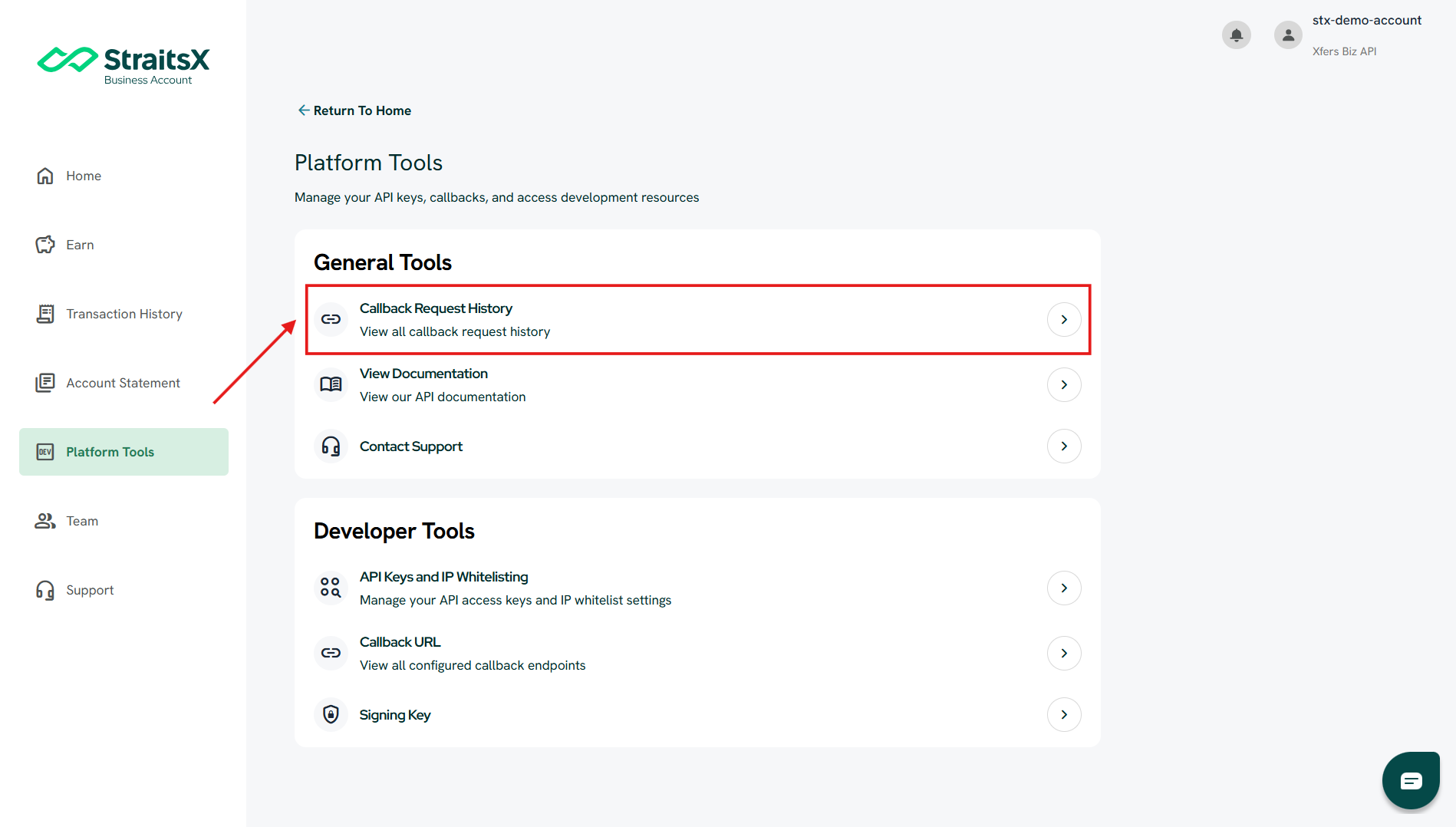
You can view your callback status in Callback Request History.
Steps:
- Log in to your StraitsX Business Account
- Go to Platform Tools
- Under General Tools, click Callback Request History
How to read the callback status
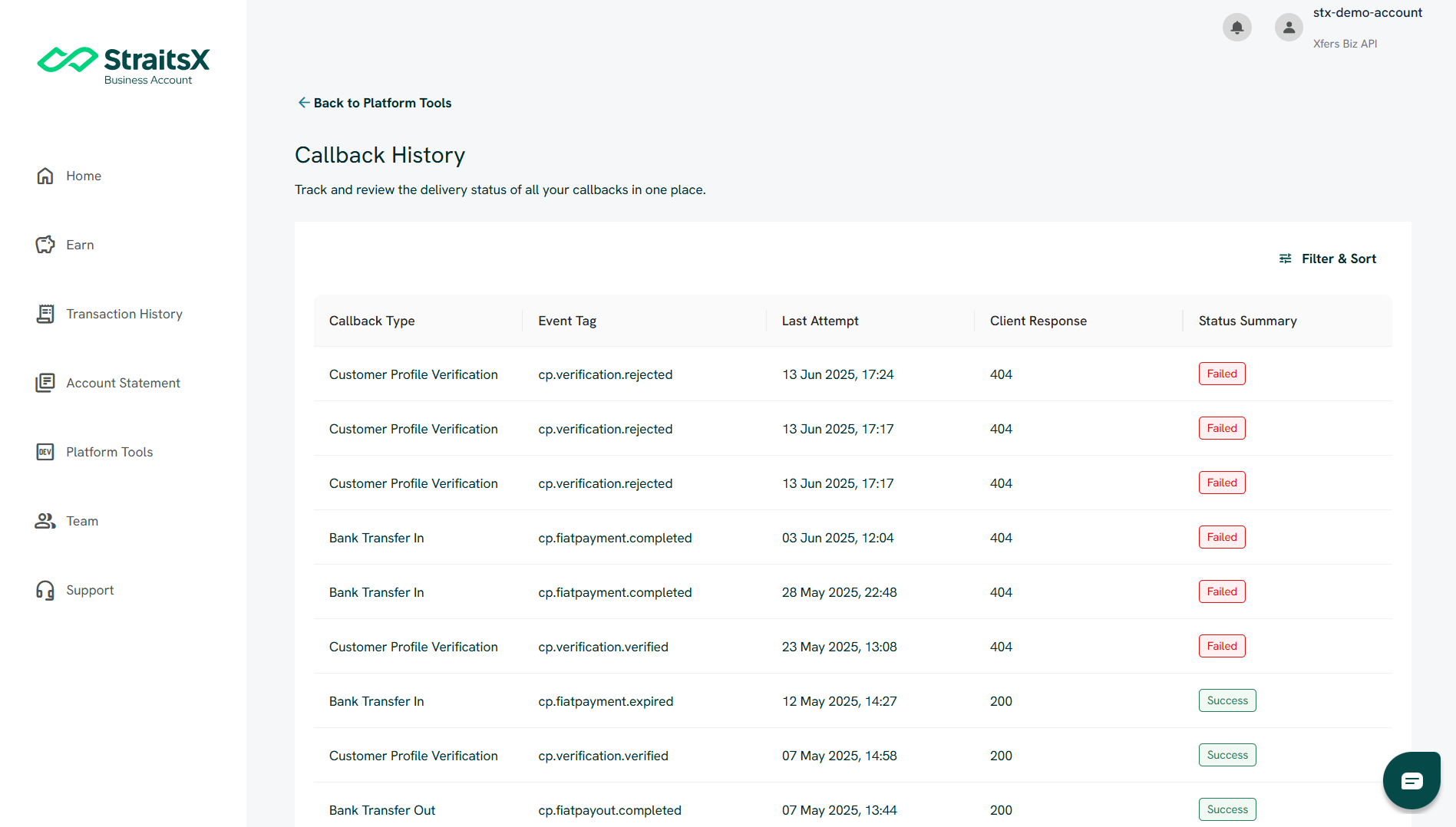
In the Callback Request History table, you will see the following columns:
- Callback Type – Type of event (e.g., Bank Transfer In)
- Event Tag – Specific event identifier
- Last Attempt – Last time the callback was sent
- Client Response – Response from your server (e.g., 200, 404)
- Status Summary – Current status of the callback
What do the callback statuses mean?
Success
- The callback was successfully delivered
- Your server responded correctly (e.g., HTTP 200)
Failed
The callback delivery failed
- Your server returned an error (e.g., 404, 500)
This usually indicates an issue with your server or endpoint configuration
Retrying
- The system is automatically retrying the callback
- Retries can occur up to multiple attempts until successful
How to view more details
To investigate further:
- Click on any callback record
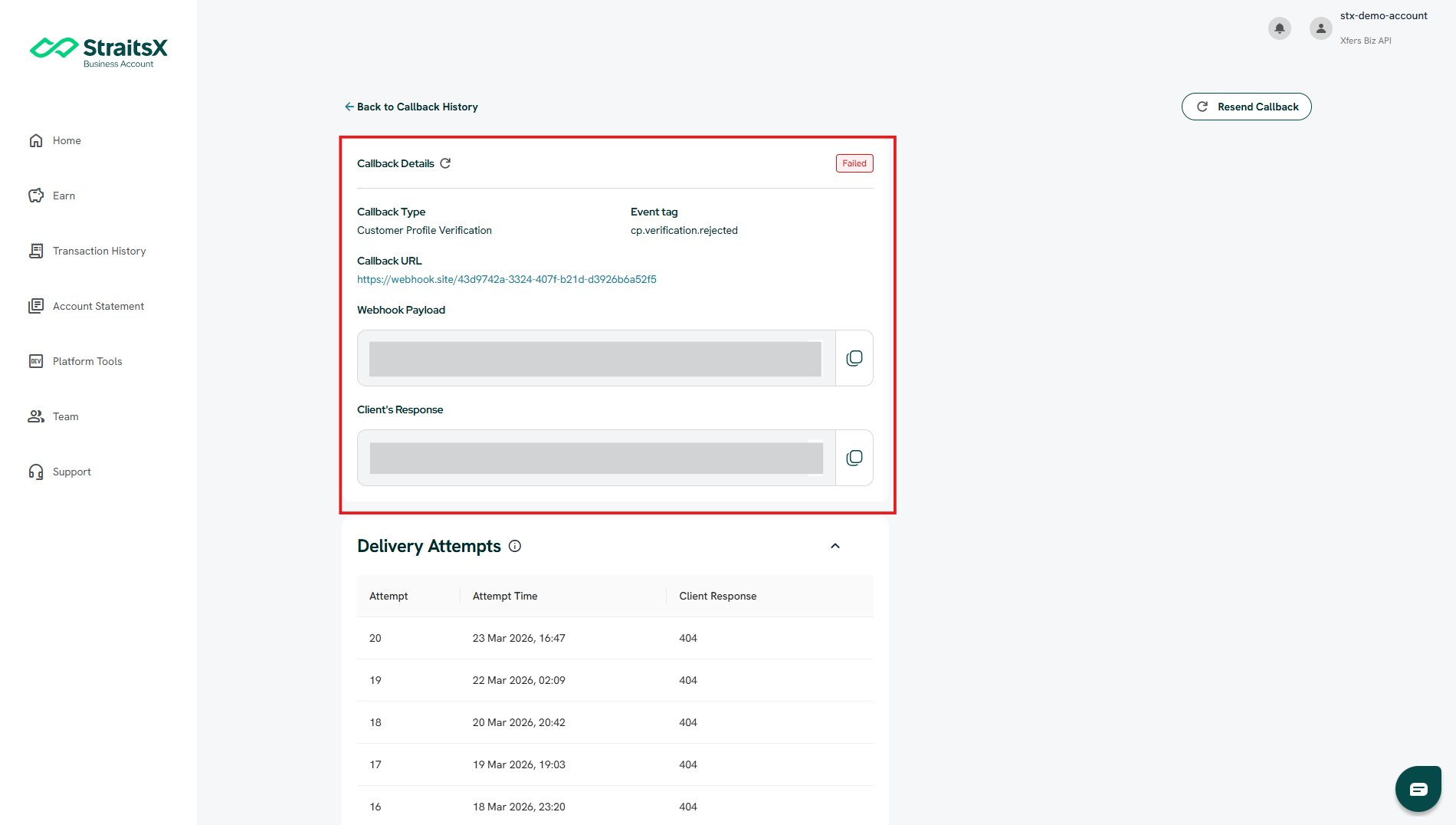
- You will be taken to the Callback Details page
Here you can view:
- Callback URL (where the callback was sent)
- Webhook Payload (data sent by StraitsX)
- Client’s Response (response from your server)
- Transaction Details
How to use this for troubleshooting
You can use the Client Response to identify issues on your side.
Example:
- 404 error → Endpoint not found or incorrect URL
- 500 error → Internal server error
- Success but not received → Check your server logs
You can copy the response message and search it in your system logs for further investigation.
What should I do if my callback failed?
If your callback status is Failed:
- Review the Client Response in Callback Details
- Fix the issue on your server or endpoint
- (Optional) Resend the callback after fixing the issue
Was this article helpful?
That’s Great!
Thank you for your feedback
Sorry! We couldn't be helpful
Thank you for your feedback
Feedback sent
We appreciate your effort and will try to fix the article