Overview
If your callback status shows as Failed, it means that StraitsX has attempted to send the callback, but your server did not return a successful response. You can review the details of each callback attempt in: Platform Tools → Callback Request History
TABLE OF CONTENTS
- Overview
- Common reasons why callbacks fail
- What happens after a callback fails?
- How to troubleshoot callback failures
Common reasons why callbacks fail
Below are the most common scenarios based on observed callback behavior in the dashboard.
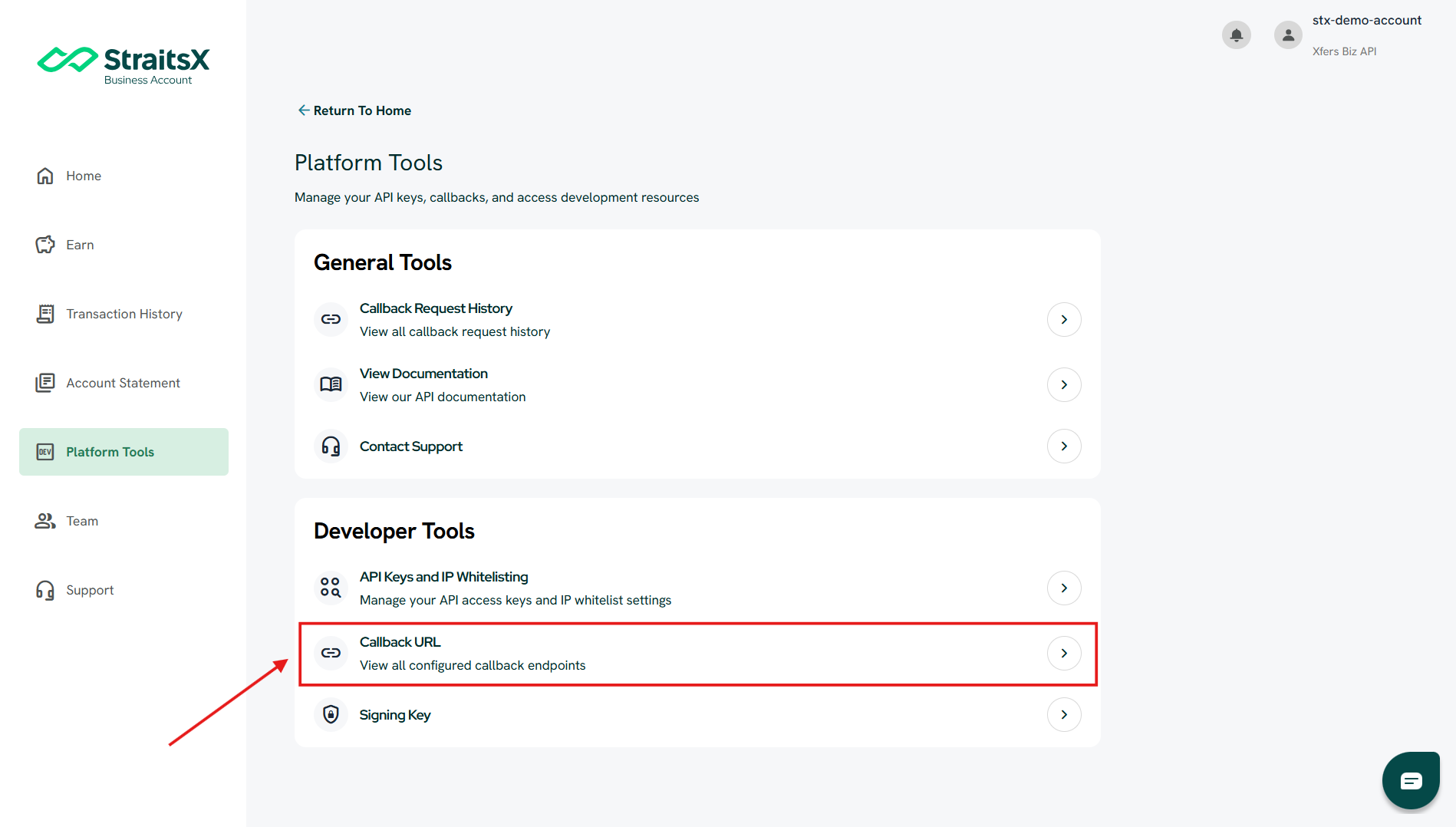
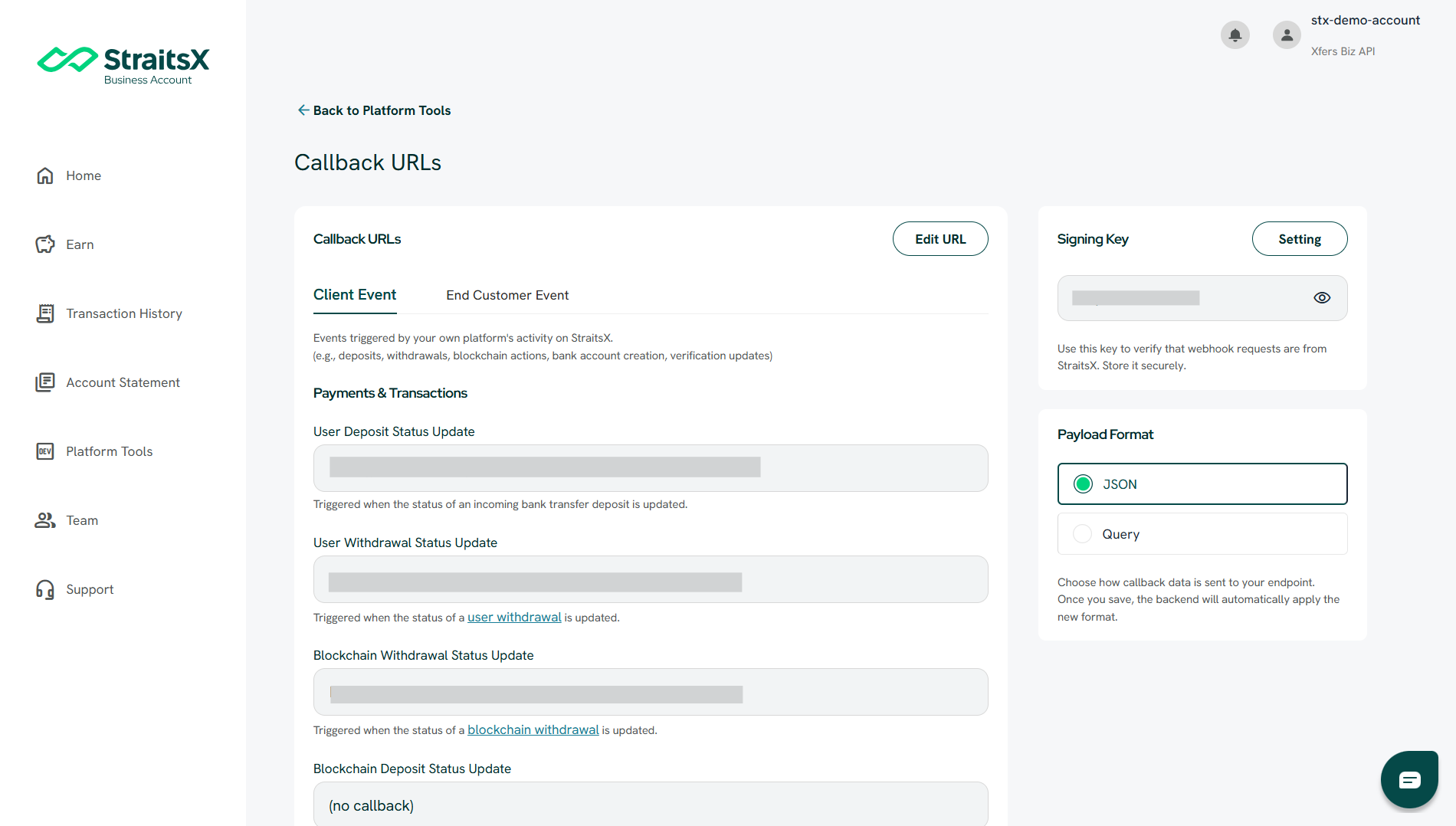
1. Callback URL is not configured
If no callback URL is set, callbacks cannot be delivered. This is one of the most common issues.
How to fix:
- Go to Platform Tools → Developer Tools → Callback URL
- Add your endpoint URL
- Save your changes
2. Your server returned an error response
If your server responds with an error (for example, 404), the callback will be marked as Failed.
You can check this in the Client’s Response field.
How to check:
- Go to Callback Request History
- Click on the failed callback
- Review the Client’s Response
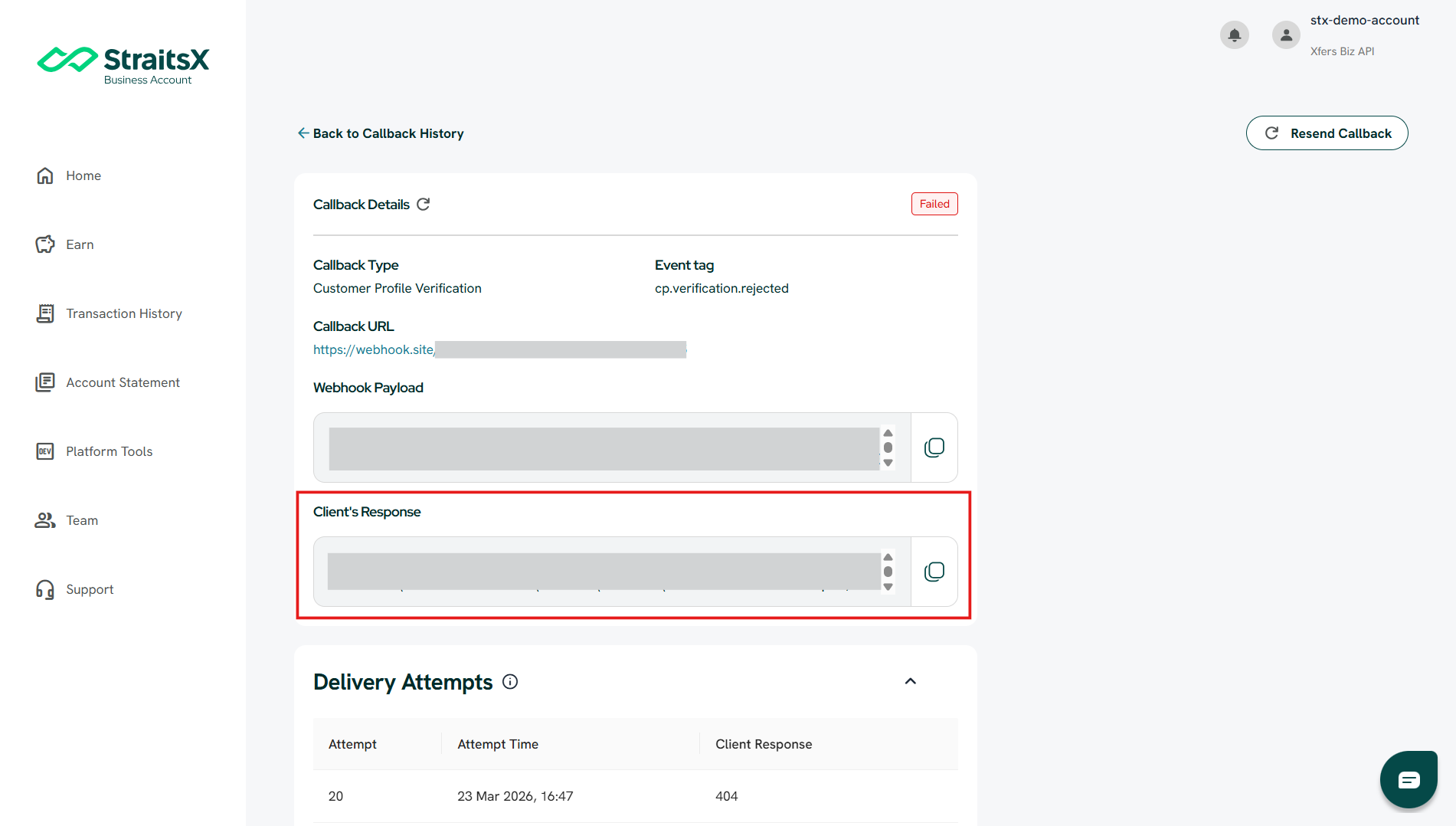
Example:
- 404 may indicate that the endpoint URL is incorrect or not available
3. Callback was sent but not processed as expected
In some cases, a callback may appear as Success, but you may not see the expected result on your side. This usually means:
- The callback was delivered successfully
- But the handling or processing on your system may need to be reviewed
What you can do:
- Check your system logs
- Compare the Webhook Payload with your expected data handling
What happens after a callback fails?
When a callback fails:
- The system will automatically retry the callback
- Multiple retry attempts will be recorded under Delivery Attempts
- Each attempt includes a timestamp and response
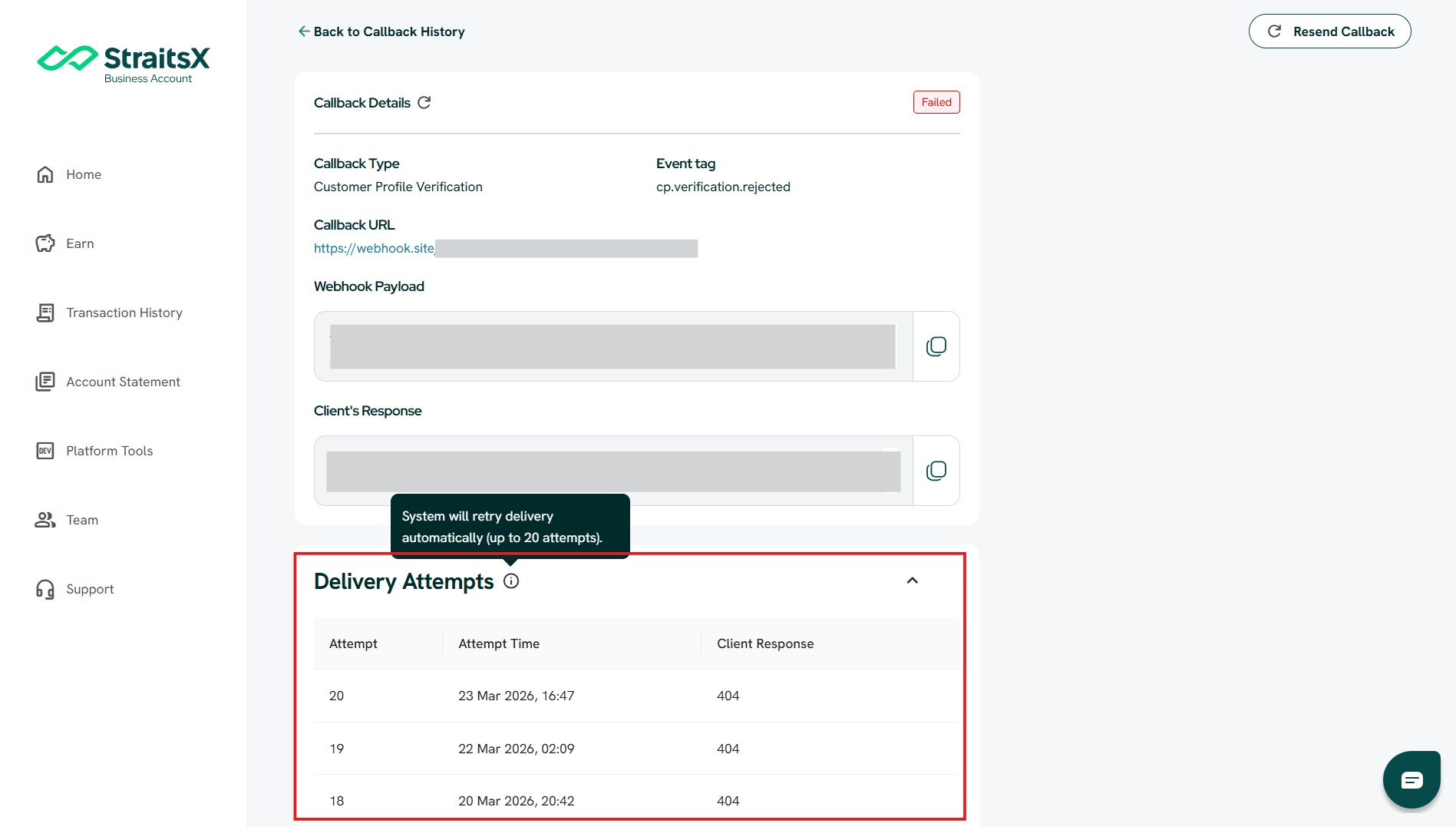
If the issue persists, you may need to fix the issue on your side before retrying again.
How to troubleshoot callback failures
To investigate a failed callback:
- Go to Platform Tools → Callback Request History
- Select the failed callback
- Review:
- Callback URL
- Webhook Payload
- Client’s Response
- Identify and fix the issue on your system
- Resend the callback if needed
Was this article helpful?
That’s Great!
Thank you for your feedback
Sorry! We couldn't be helpful
Thank you for your feedback
Feedback sent
We appreciate your effort and will try to fix the article