Overview
Platform Tools is a self-service feature in the StraitsX Business Dashboard that allows merchants to manage their API integrations, configure settings, troubleshoot issues, and perform testing without contacting Customer Support or Engineering.
This feature is designed to improve efficiency by enabling users to handle common operational and technical tasks directly within the dashboard.
TABLE OF CONTENTS
- Overview
- Where can I find Platform Tools?
- What can I do with Platform Tools?
- Why should I use Platform Tools?
- Who can access Platform Tools?
- When should I use Platform Tools?
Where can I find Platform Tools?
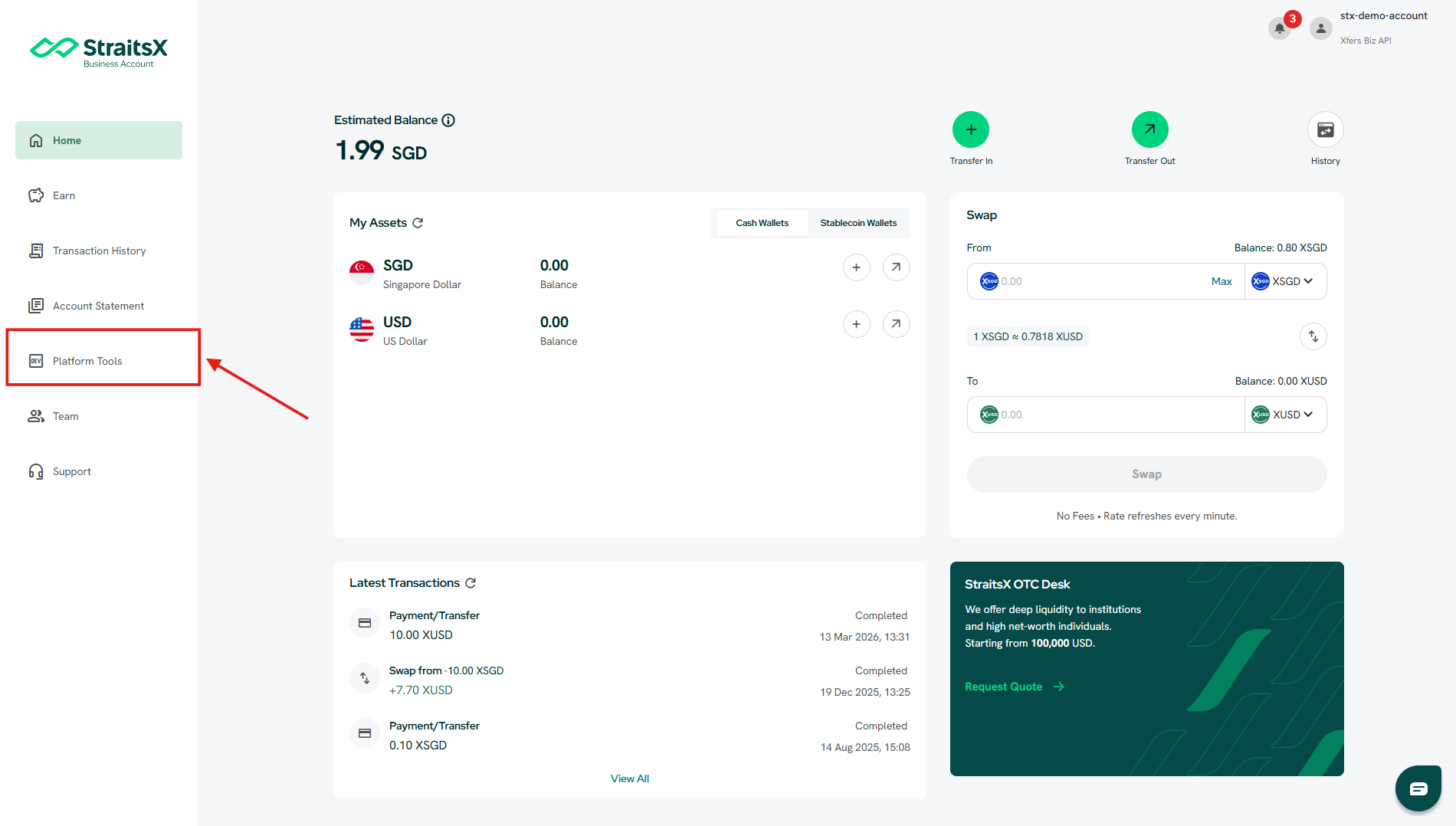
You can access Platform Tools from the left-hand navigation menu in your StraitsX Business Account.
Steps:
- Log in to your StraitsX Business Account
- On the left sidebar, click Platform Tools
What can I do with Platform Tools?
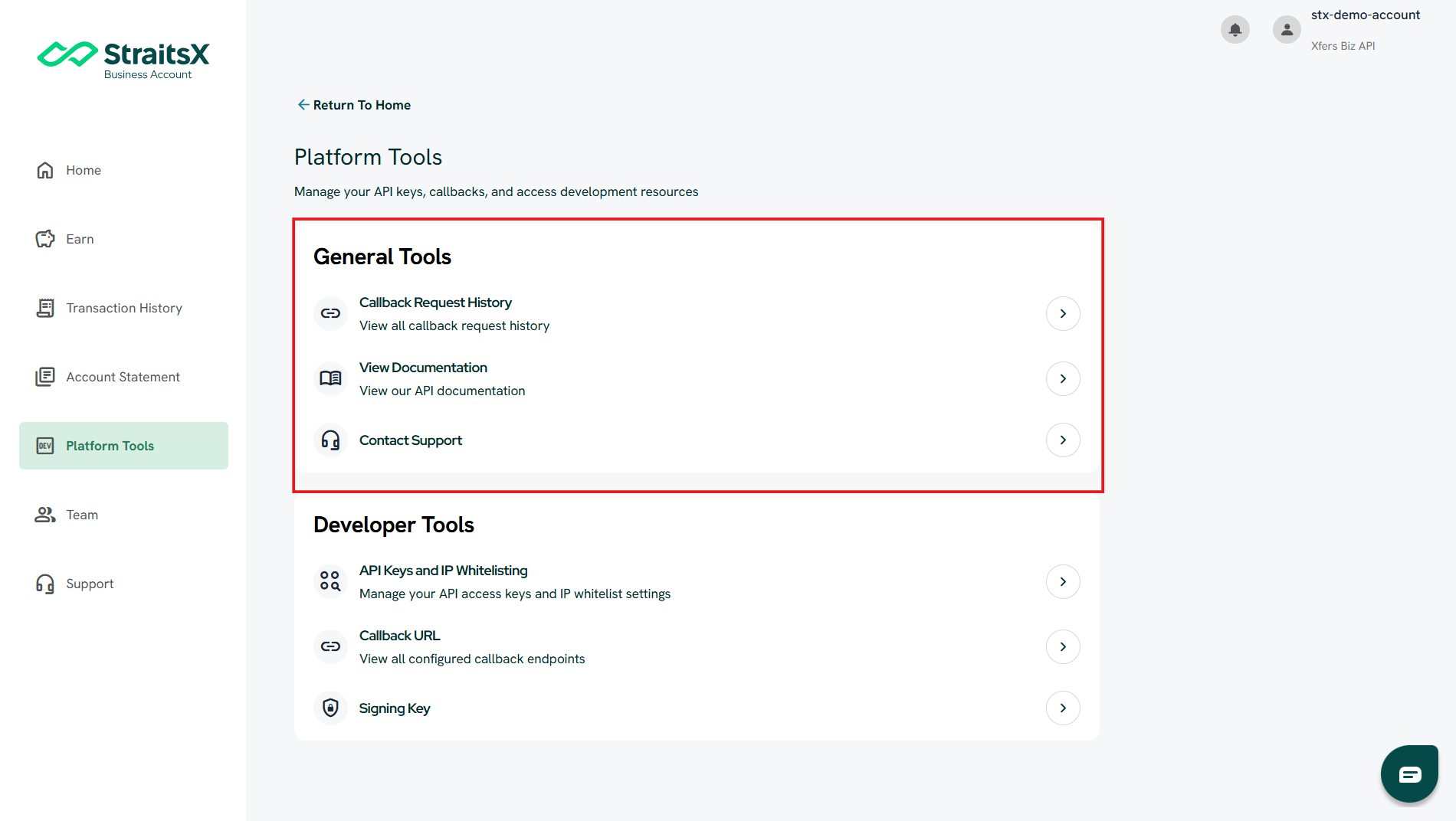
Platform Tools is divided into three main functions:
1. Monitor and troubleshoot (General Tools)
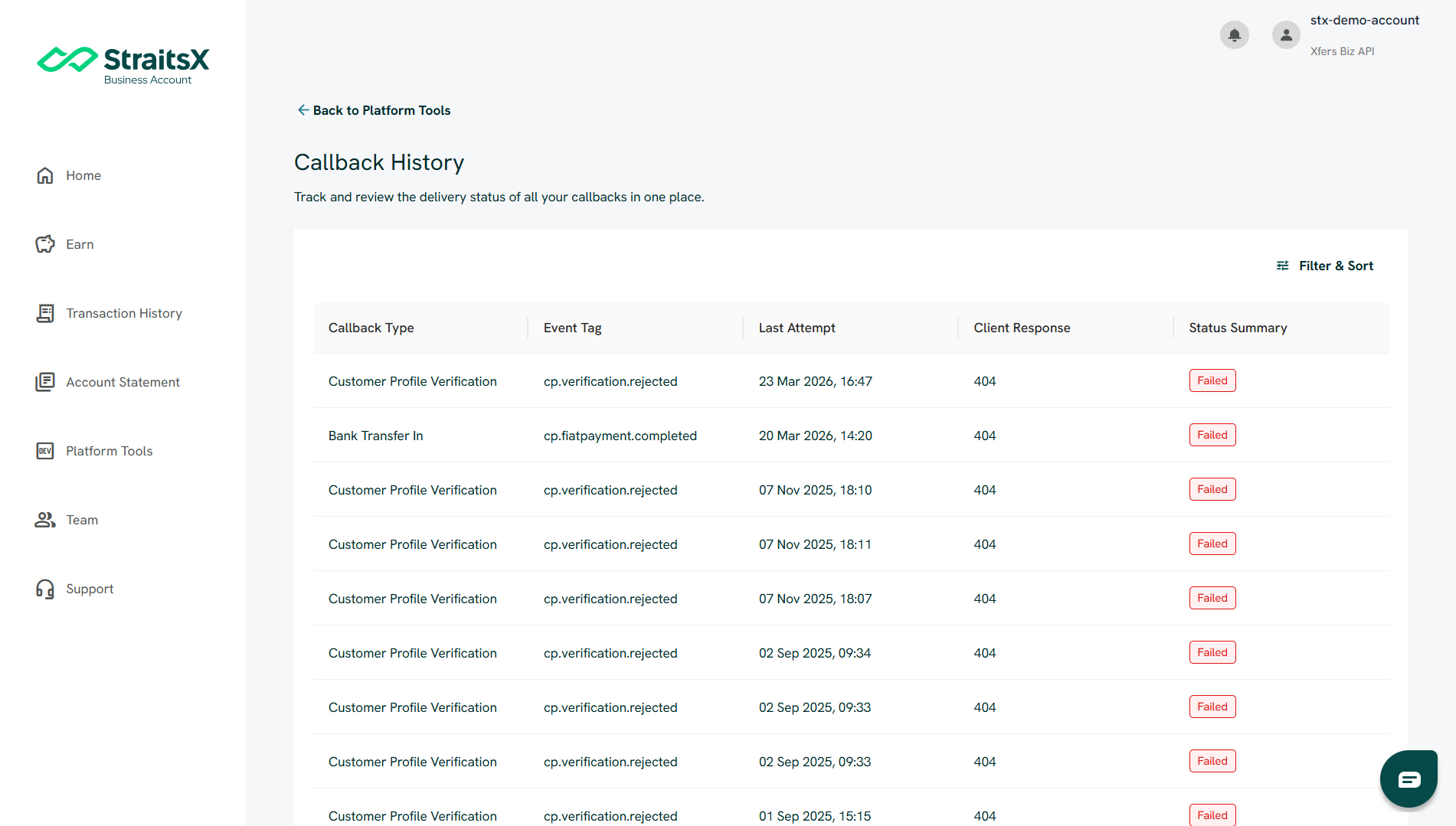
This section helps you track and resolve issues related to callbacks. You can:
- View Callback Request History
- Check delivery status (Success, Failed, Retrying)
- Review client/server responses (e.g., 404 errors)
- Resend failed callbacks
This is especially useful when:
- You are not receiving callbacks
- You need to investigate failed events
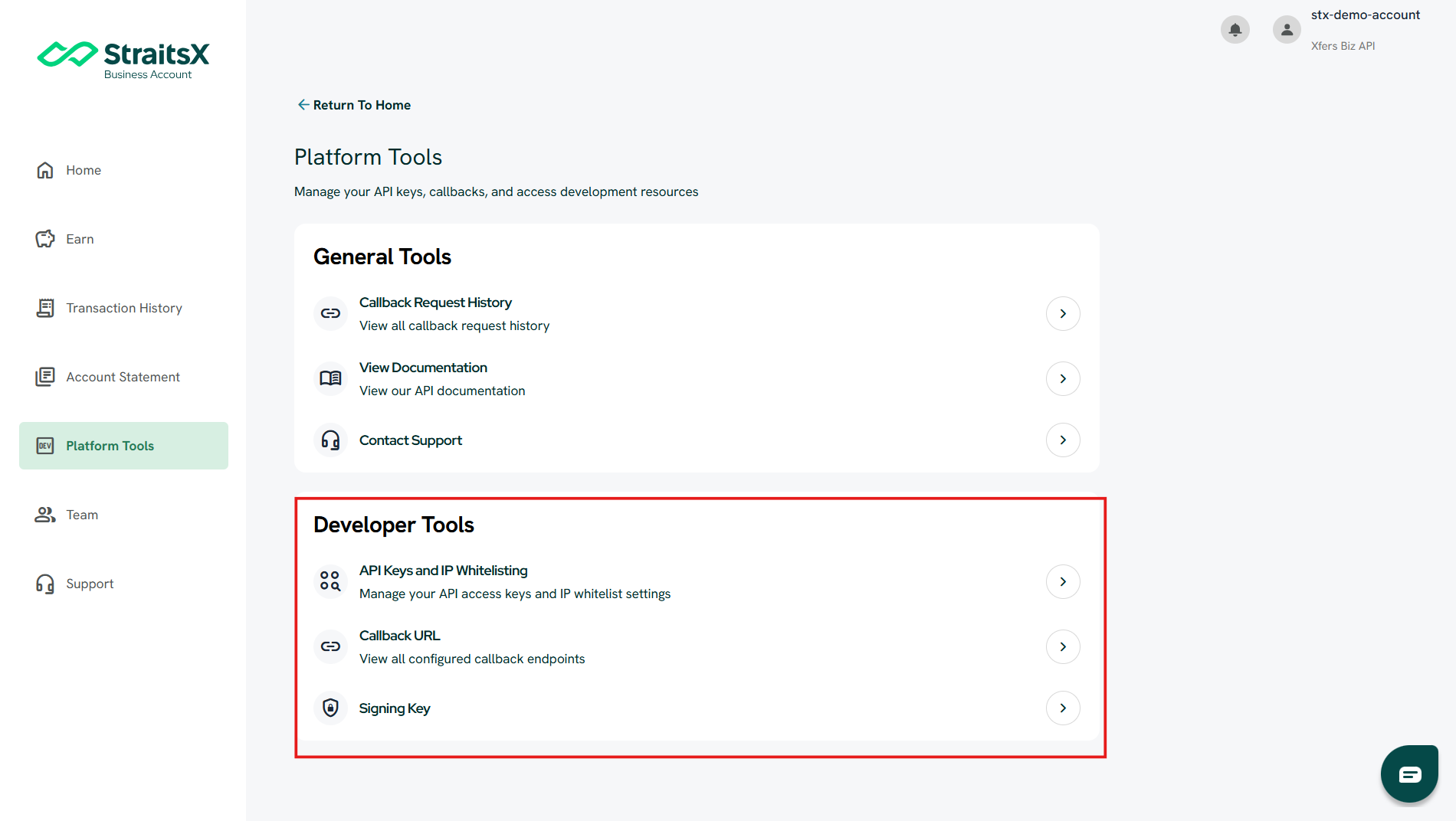
2. Configure your integration (Developer Tools)
This section allows you to set up and manage your API integration. You can:
- Create and manage API Keys
- Configure IP Whitelisting for security
- Set up Callback URLs (where notifications are sent)
- Access your Signing Key for message verification
- Select your preferred Payload Format (JSON or Query)
These settings are typically managed by developers.
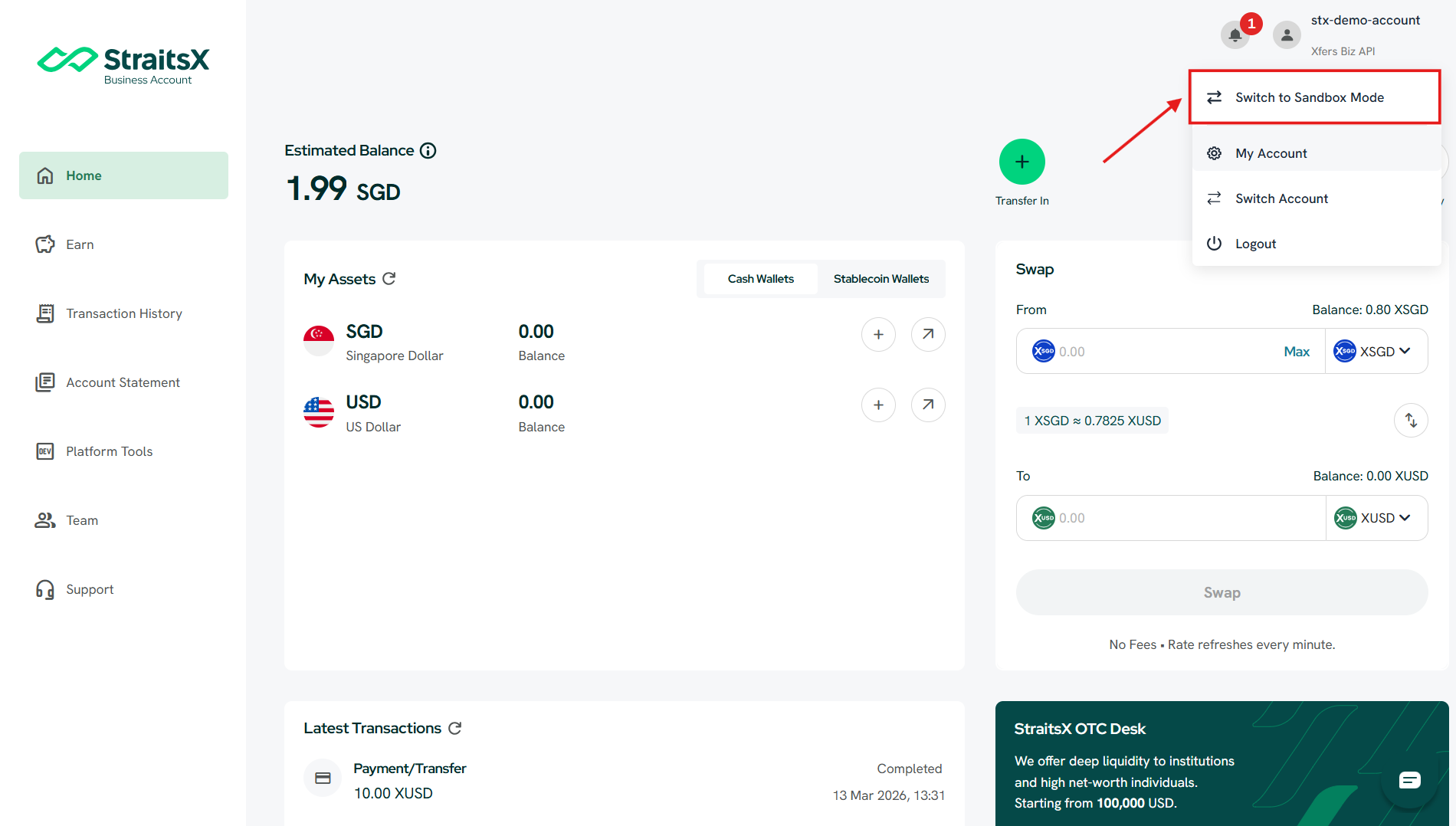
3. Test your integration (Sandbox Mode)
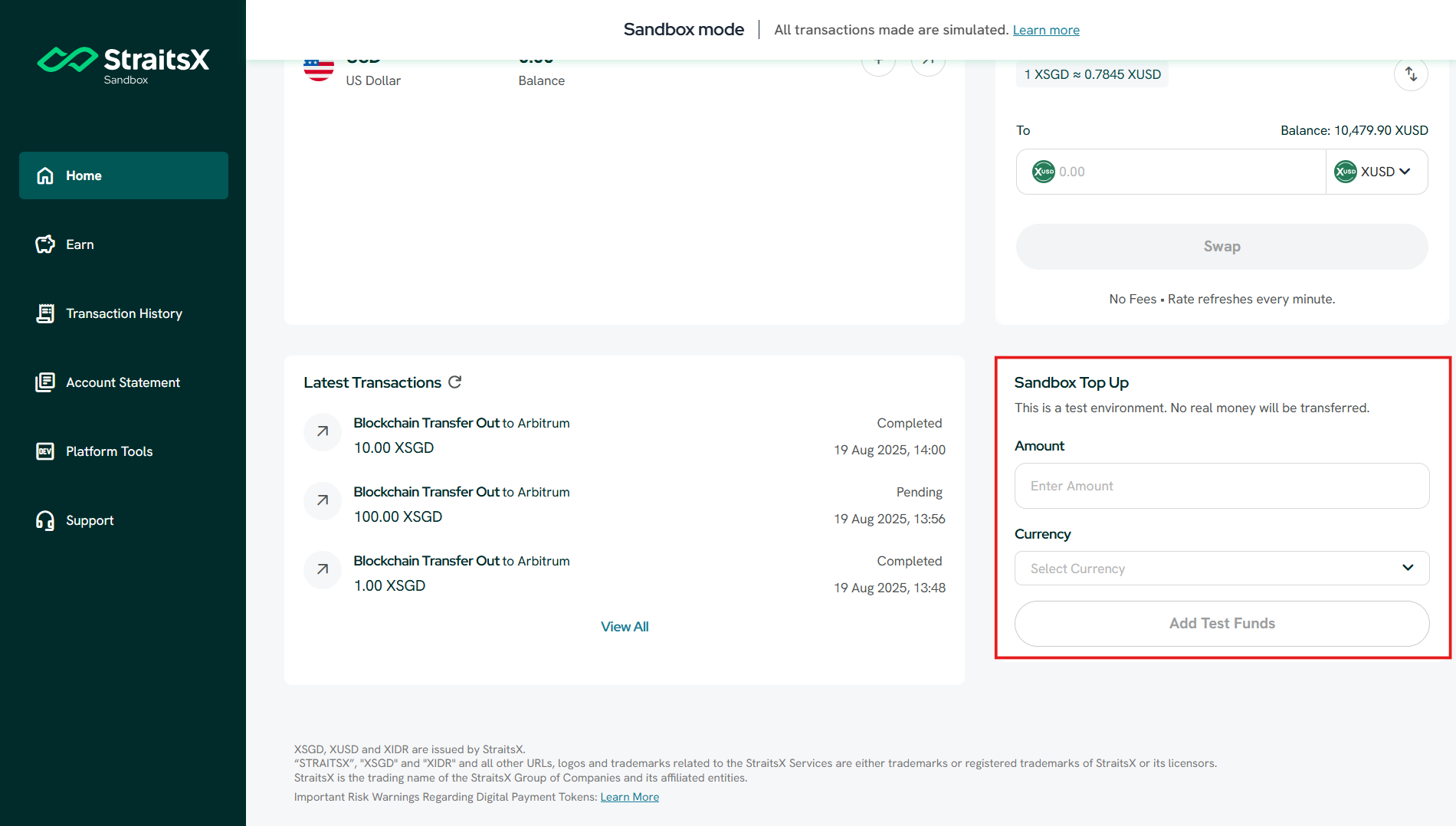
Platform Tools also supports testing via Sandbox Mode, where no real funds are used. You can:
- Simulate transactions
- Test API integration safely
- Top up test funds instantly using Sandbox Top-Up
This allows you to validate your integration without impacting real transactions.
Why should I use Platform Tools?
Platform Tools helps you:
- Resolve issues faster without raising support tickets
- Manage your integration independently
- Troubleshoot callback issues using real-time data
- Test safely in a sandbox environment
Who can access Platform Tools?
Platform Tools is accessible to:
- Admin users
- Developers
- Operations (Ops) users
However:
- Ops users can view most features
- Only Admins and Developers can modify developer-related settings
When should I use Platform Tools?
You should use Platform Tools when you need to:
- Check why a callback was not received
- Resend a failed callback
- Set up or update your API integration
- Configure security settings (e.g., IP whitelisting)
- Test your integration in a sandbox environment
Was this article helpful?
That’s Great!
Thank you for your feedback
Sorry! We couldn't be helpful
Thank you for your feedback
Feedback sent
We appreciate your effort and will try to fix the article