Overview
You can create an API key directly from the StraitsX Business Dashboard to enable integration with StraitsX APIs.
An API key is required to authenticate your requests and interact with the StraitsX system programmatically.
Table of Contents
- Overview
- Where can I create an API key?
- How to create a new API key
- What happens after creating an API key?
- When should I create a new API key?
Where can I create an API key?
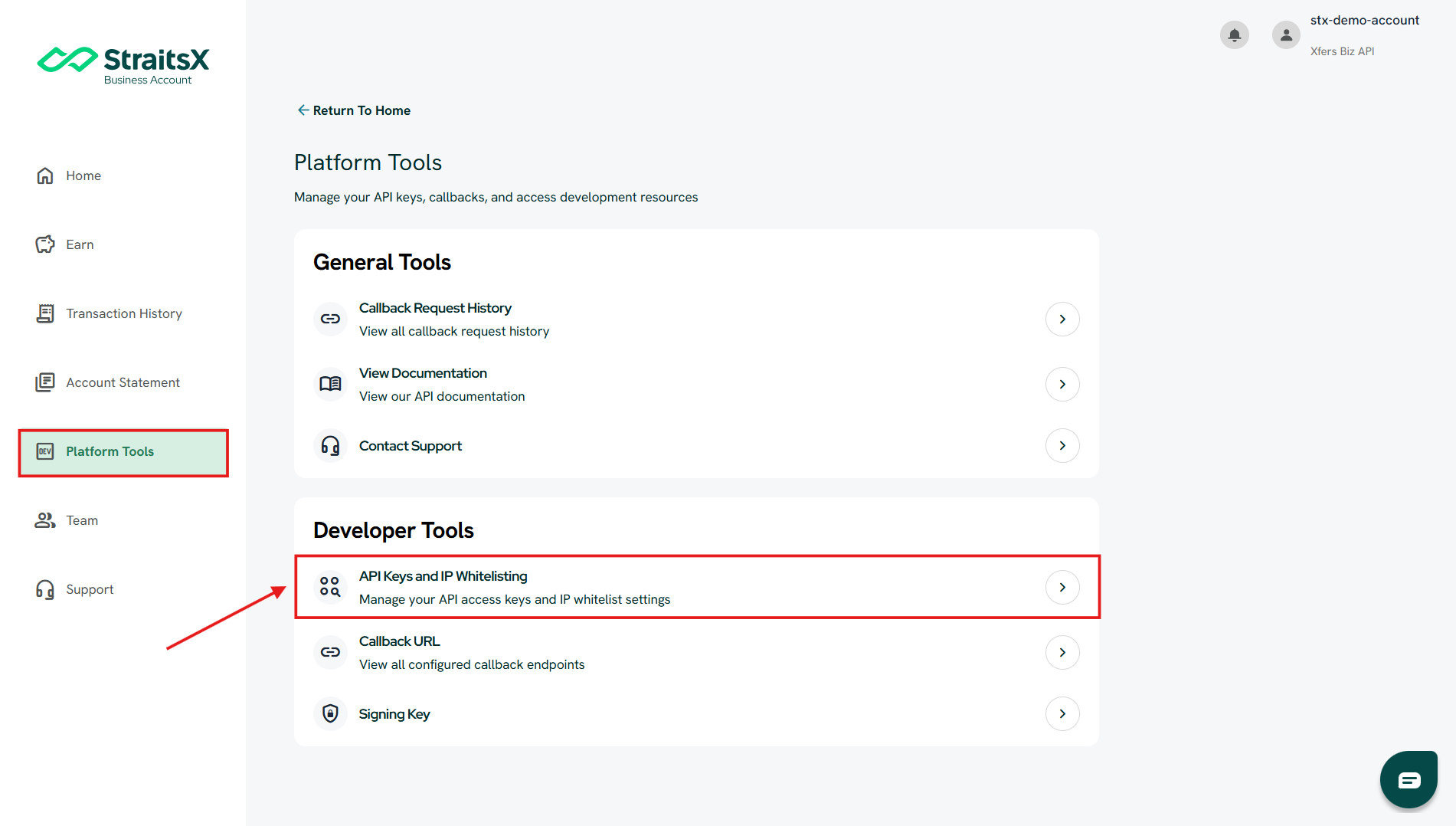
You can create an API key from the API Keys and IP Whitelisting section in Platform Tools.
Steps:
- Log in to your StraitsX Business Account
- Go to Platform Tools
- Under Developer Tools, click API Keys and IP Whitelisting
How to create a new API key
Steps:
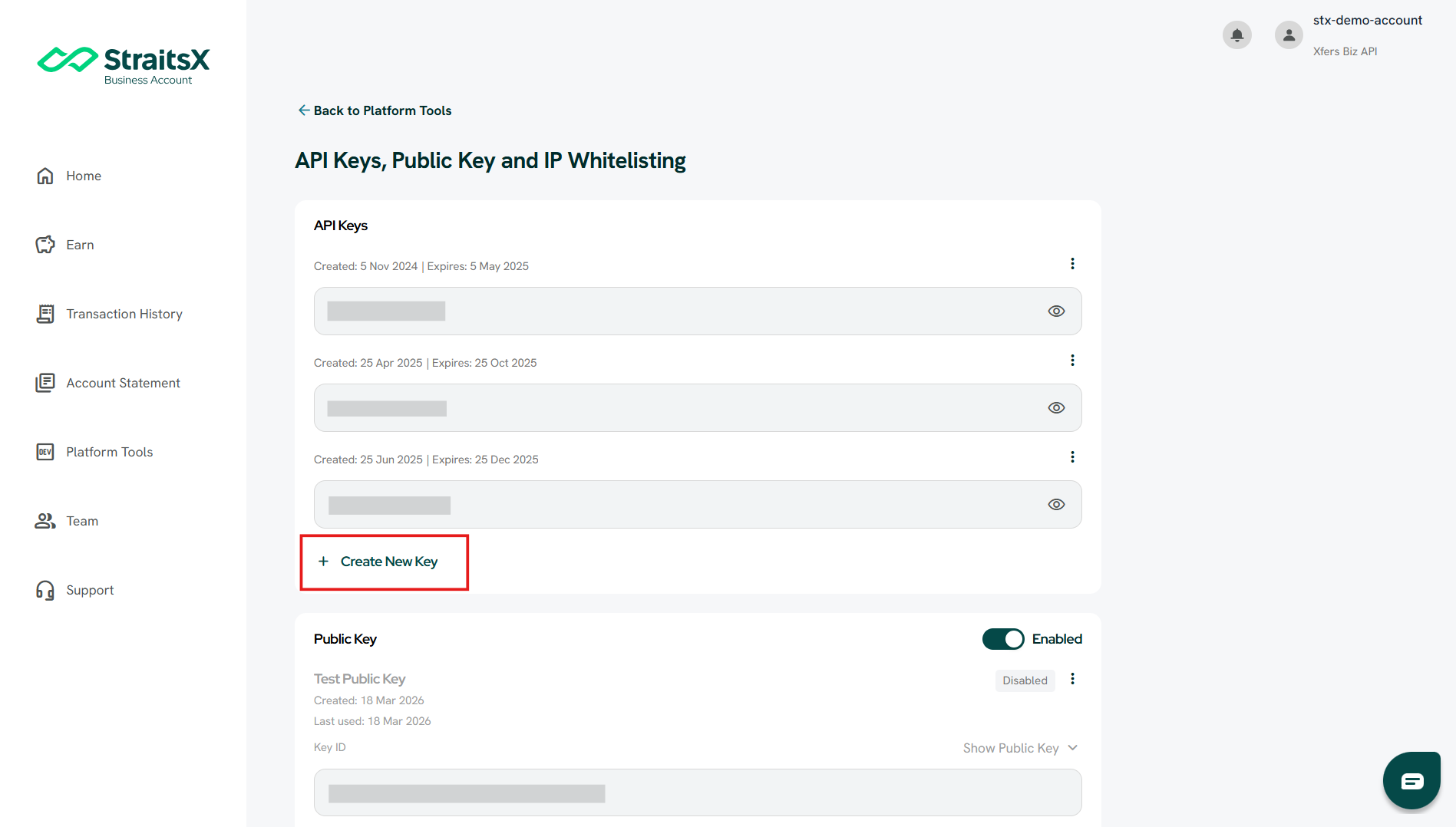
- Scroll to the API Keys section
- Click + Create New Key
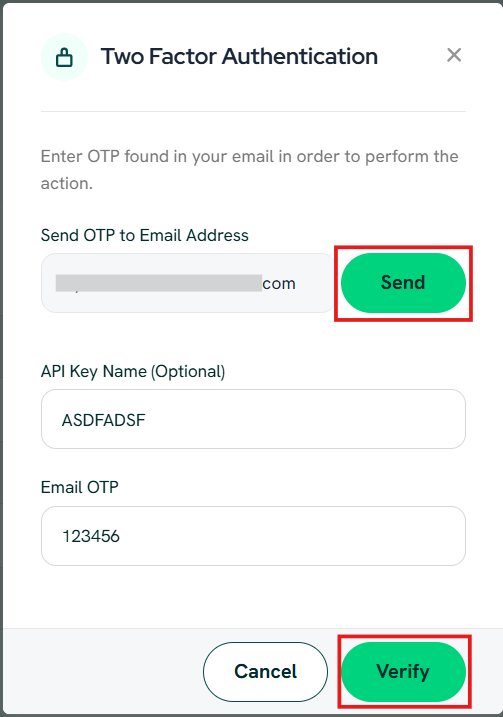
- A Two Factor Authentication (2FA) pop-up will appear
- Click Send to receive a One-Time Password (OTP) via email
- Enter the OTP
- (Optional) Enter a name for your API key
- Click Verify to complete the process
What happens after creating an API key?
- Your new API key will appear in the API Keys list
- You can use this key in your API requests
- The key is required to authenticate your integration
Important notes
- Keep your API key secure and confidential
- Do not share your API key publicly
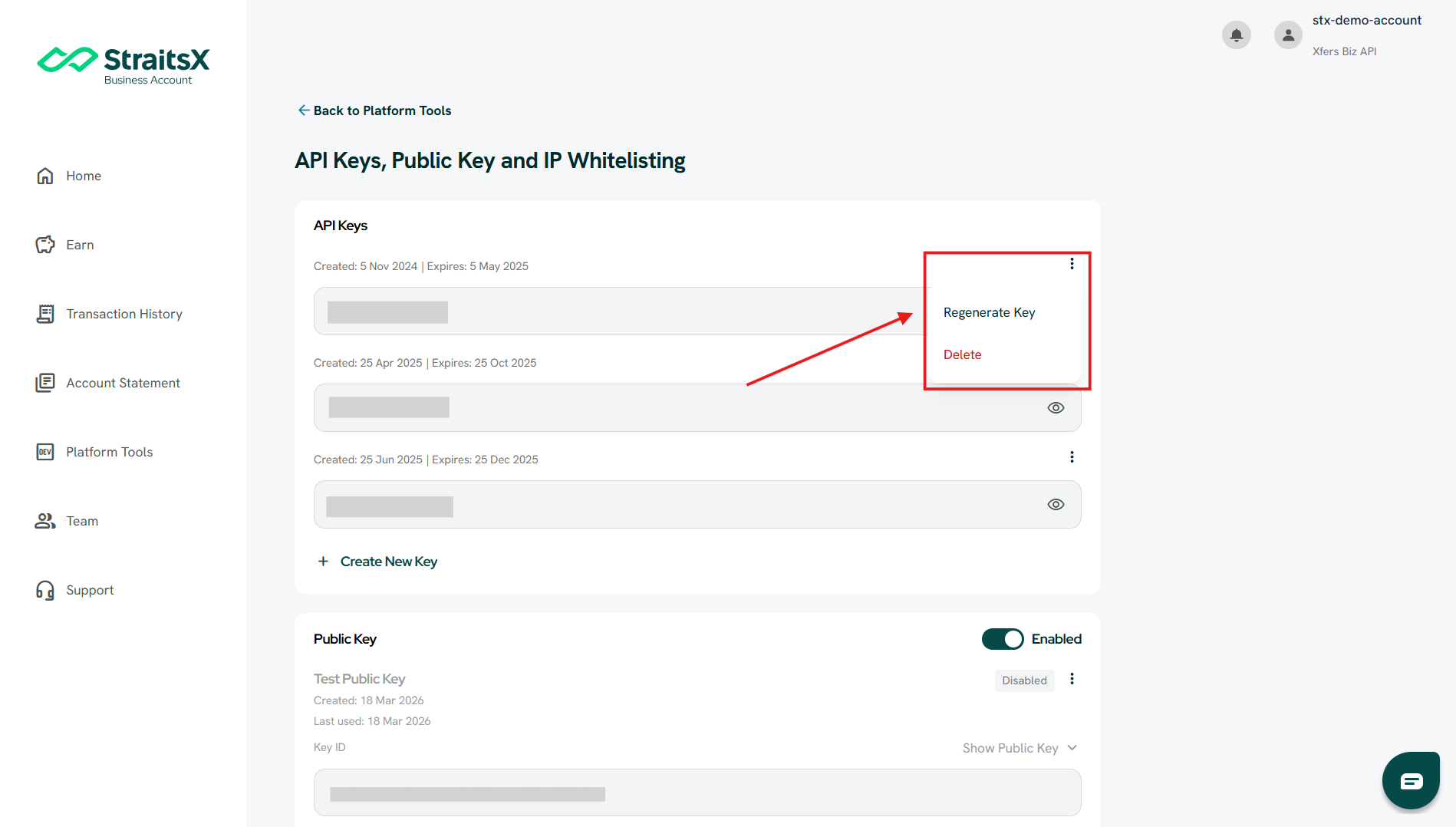
- If needed, you can:
- Regenerate the key
- Delete the key from the dashboard
When should I create a new API key?
You may need to create a new API key when:
- Setting up a new integration
- Separating keys for different environments (e.g. testing vs production)
- Replacing an existing key for security reasons
Was this article helpful?
That’s Great!
Thank you for your feedback
Sorry! We couldn't be helpful
Thank you for your feedback
Feedback sent
We appreciate your effort and will try to fix the article