Overview
If you encounter an “access denied” error when making API requests, it usually means that your request is not being recognized or allowed by the system. This is commonly related to IP whitelisting settings in your StraitsX Business Dashboard.
Common reason for “access denied”
1. Your IP address is not whitelisted
If IP Whitelisting is enabled, StraitsX will only accept requests from approved IP addresses. If your request is coming from an IP address that is not on the whitelist, it may be rejected with an “access denied” error.
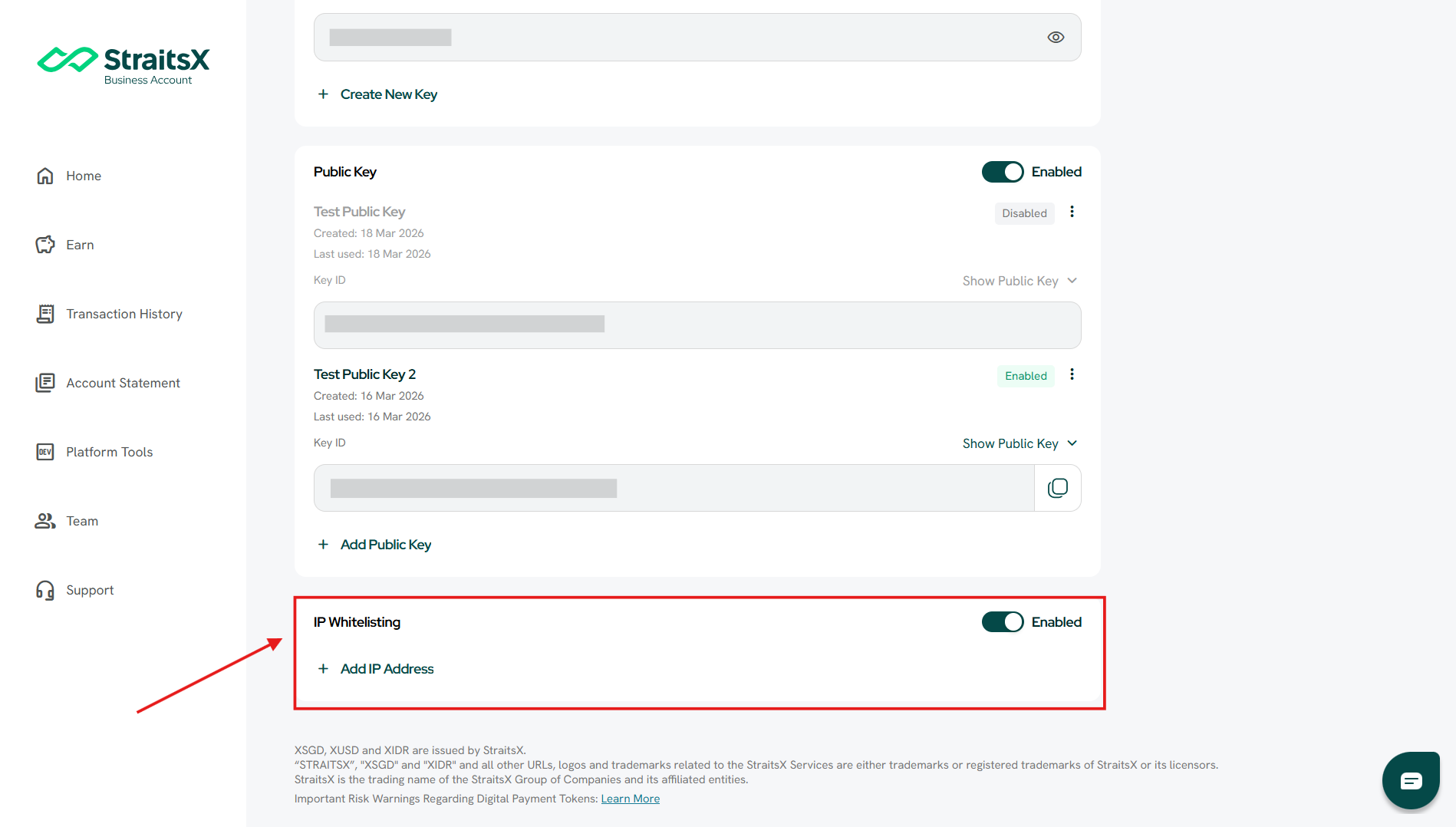
How to check your IP whitelisting settings
Steps:
- Log in to your StraitsX Business Account
- Go to Platform Tools
- Under Developer Tools, click API Keys and IP Whitelisting
- Check:
- Whether IP Whitelisting is enabled
- Whether your IP address is listed
How to fix the issue
Option 1: Add your IP address
If your IP is not listed:
- Click + Add IP Address
- Enter your server IP
- Save the changes
Option 2: Disable IP whitelisting (for testing purposes)
If you are unsure which IP to use, you may temporarily disable IP whitelisting to test your integration. Remember to re-enable it after testing for security purposes.
Additional checks
If the issue persists, you may also want to verify:
- You are sending requests from the expected server or environment
- Your API request is using the correct setup
When does this usually happen?
This error typically occurs when:
- IP whitelisting was recently enabled
- A new server or environment is being used
- The IP address has changed
Was this article helpful?
That’s Great!
Thank you for your feedback
Sorry! We couldn't be helpful
Thank you for your feedback
Feedback sent
We appreciate your effort and will try to fix the article